Leftoff
See where you left off in every project.
Pick up any project in seconds
Leftoff is an open-source tool for people who juggle many project folders. Coming back to a project after a few weeks usually means digging through git and files to remember what state it was left in. Leftoff puts that answer on one page.
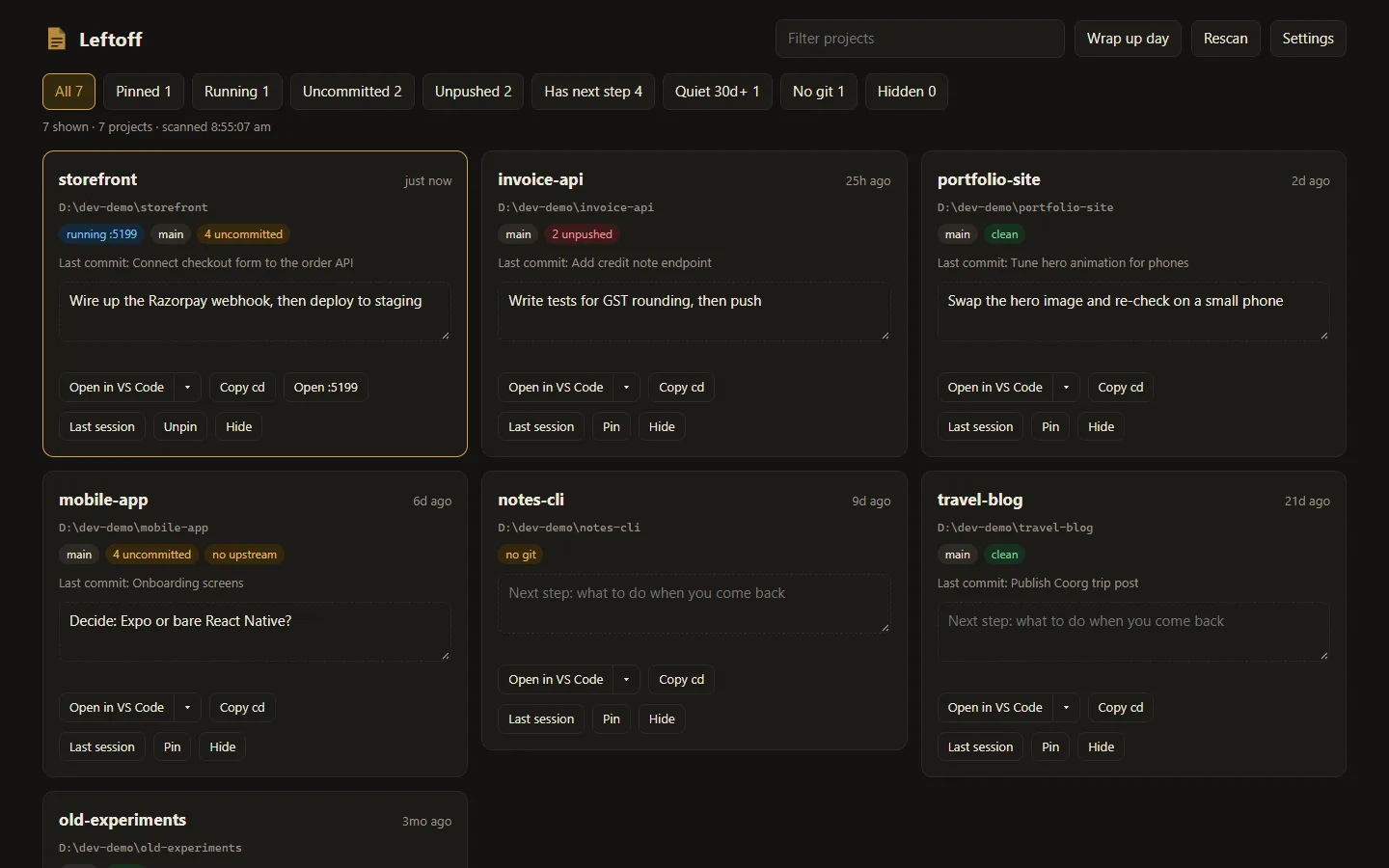
One board, every project
Each project gets a card showing when you last worked on it, its branch, uncommitted files, unpushed commits, and any dev server still running for it. A note box keeps the next step you left yourself, so the first minute back is not spent remembering.
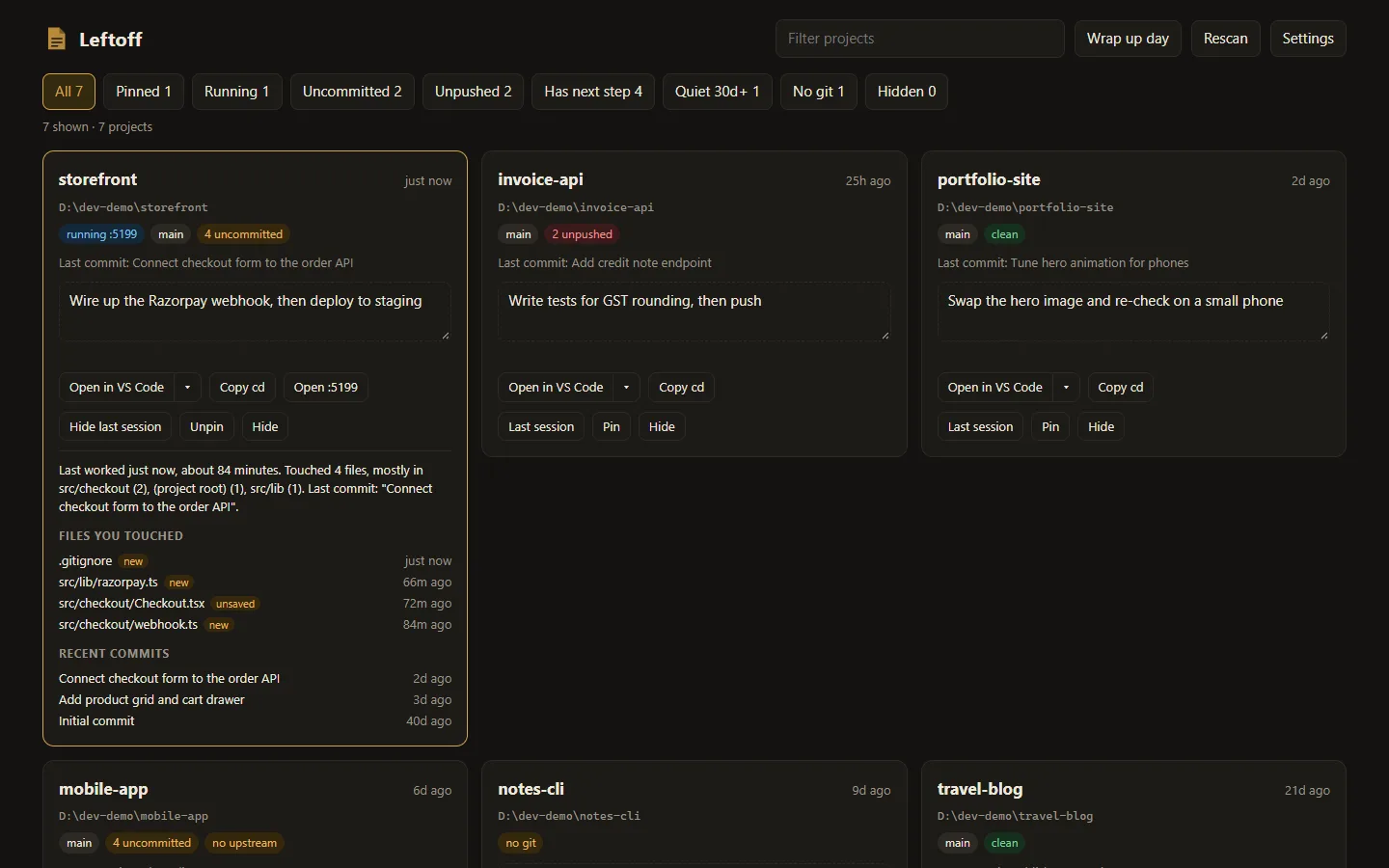
What you did last time
Open a project's last session to see the files you touched and your recent commits, with a one-line summary such as "Last worked 32h ago, about an hour. Touched 9 files, mostly in src." It uses simple rules rather than AI, so it is instant and never invents details.
Easy to start, private by design
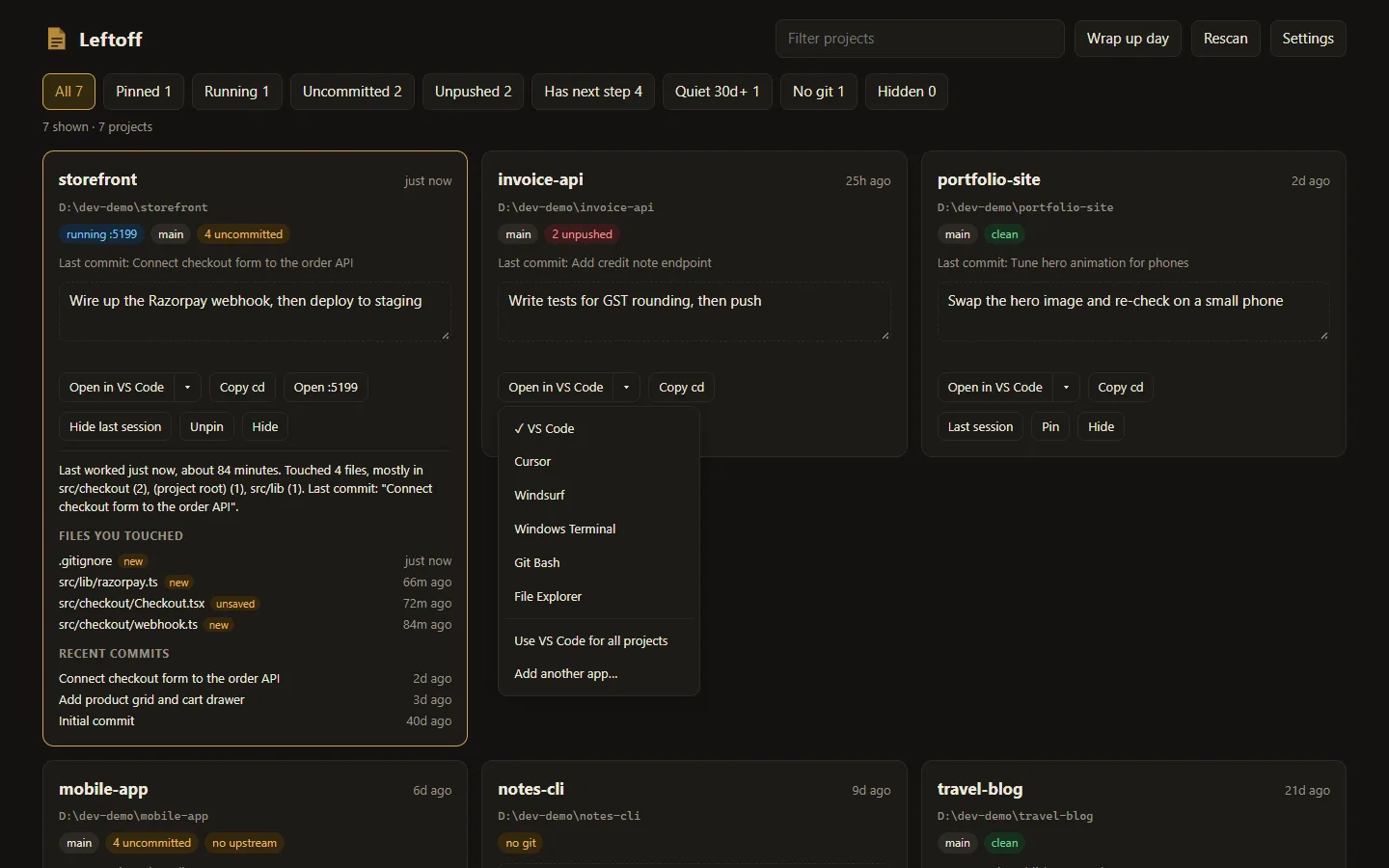
The first run asks which folder holds your projects and shows a folder picker. Choose how each project opens: VS Code, Cursor, Windsurf, Windows Terminal, Git Bash, or any program you add. Everything stays on your computer. There is no account, cloud service, or tracking, and the board listens only on your own machine.
Leftoff is tested on Windows 11. macOS and Linux support is written but not yet tested, so reports are welcome.
Built by Galvora Labs. Licensed under MIT.
Specifications
- One board for every project folder: last touched, uncommitted and unpushed work, running dev servers
- A next-step note on each project, waiting for you when you return
- A plain-language summary of your last session: files touched and recent commits
- Open any project in VS Code, Cursor, Windows Terminal or any app you choose
- Pin, hide, and a gentle end-of-day reminder; runs locally with no account or cloud